Personal CFO
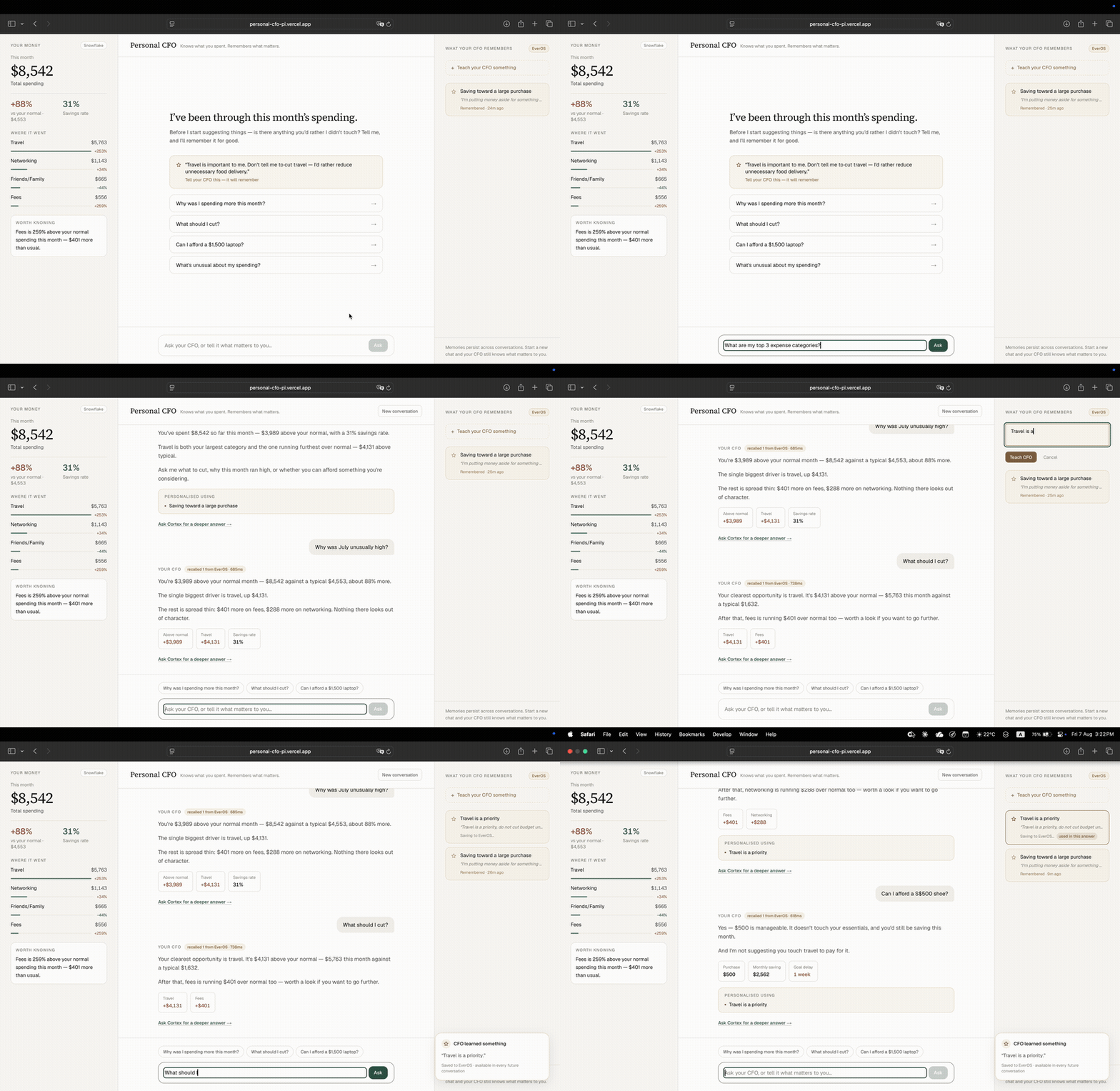
Knows what you spent. Remembers what matters. A personal finance assistant that doesn't just show you where your money went — it remembers what you tell it matters, so it doesn't have to ask again.
The Idea
Built with a teammate at a Snowflake x EverOS hackathon, held at Snowflake's HQ in Menlo Park. Most budgeting apps show you a spending breakdown and start from zero again the next time you open them. Personal CFO's angle: it holds an actual conversation about your money, and it remembers what you tell it. Say "don't touch my travel budget, cut food delivery instead," and that preference sticks — the next time you talk to it, it already knows what matters to you instead of asking again.
What I Built
I wrote the frontend — the chat interface where you actually talk to the app and see your spending. I also handled wiring the pieces together: connecting that frontend to EverOS, the memory layer that stores your preferences and financial context between conversations, so the assistant isn't starting from scratch every session. My teammate built the Snowflake Cortex layer underneath, which does the actual analysis of the spending data. Once that was ready, I integrated it into the app so its output could reach the user and sit alongside what EverOS remembered about them.
How It Works
In plain terms:
- You tell Personal CFO about your spending, or ask it a question about your budget
- The Snowflake Cortex layer analyzes the numbers and surfaces patterns and recommendations
- If you push back on a suggestion — like prioritizing travel over cutting food delivery — EverOS remembers that preference
- Next conversation, it already knows what matters to you, instead of resetting to a generic recommendation
Screenshots
Captured straight from the live demo.
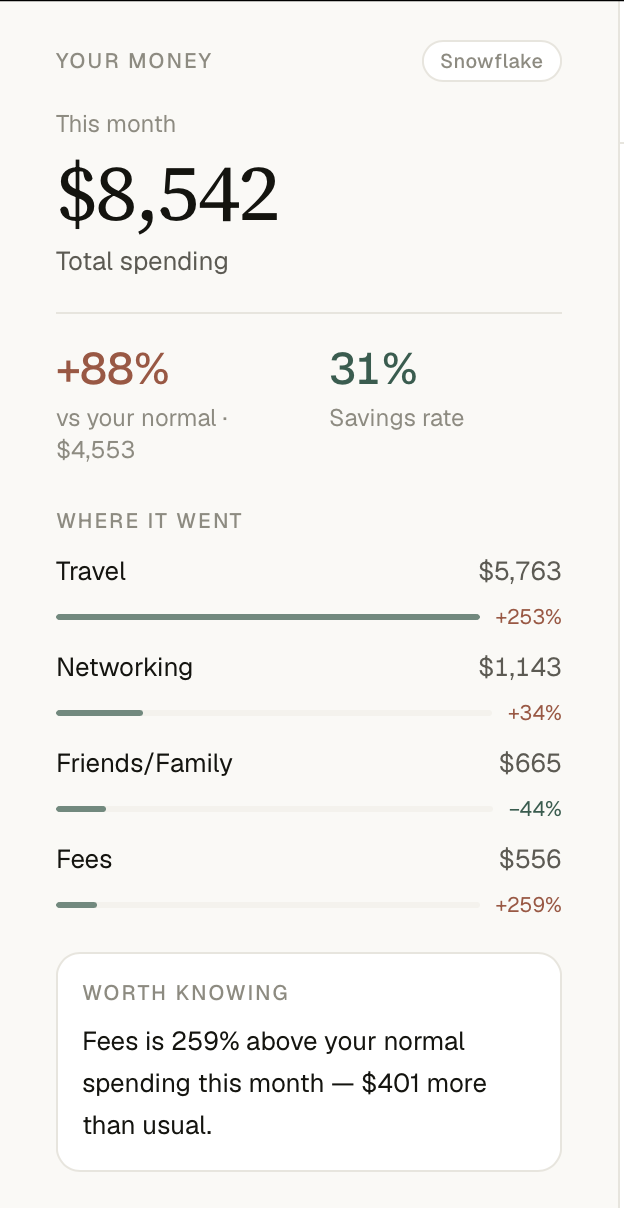
Spending dashboard
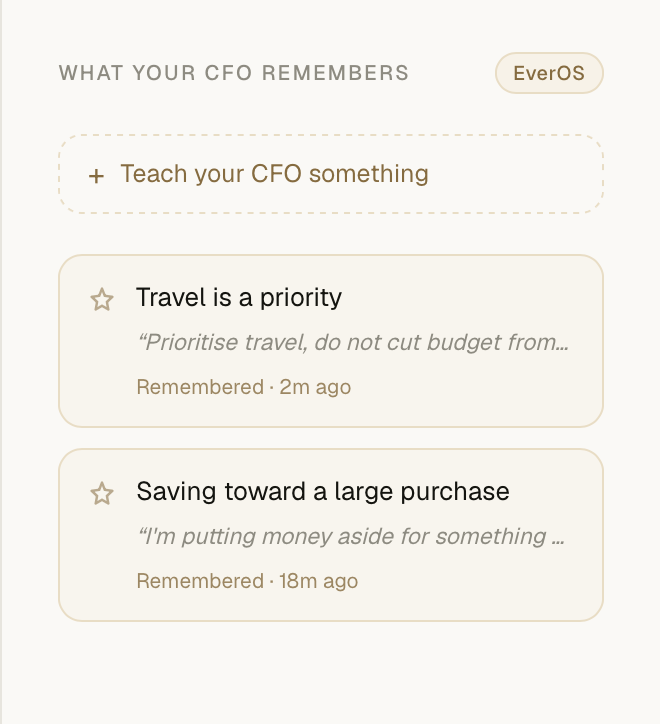
EverOS memory panel
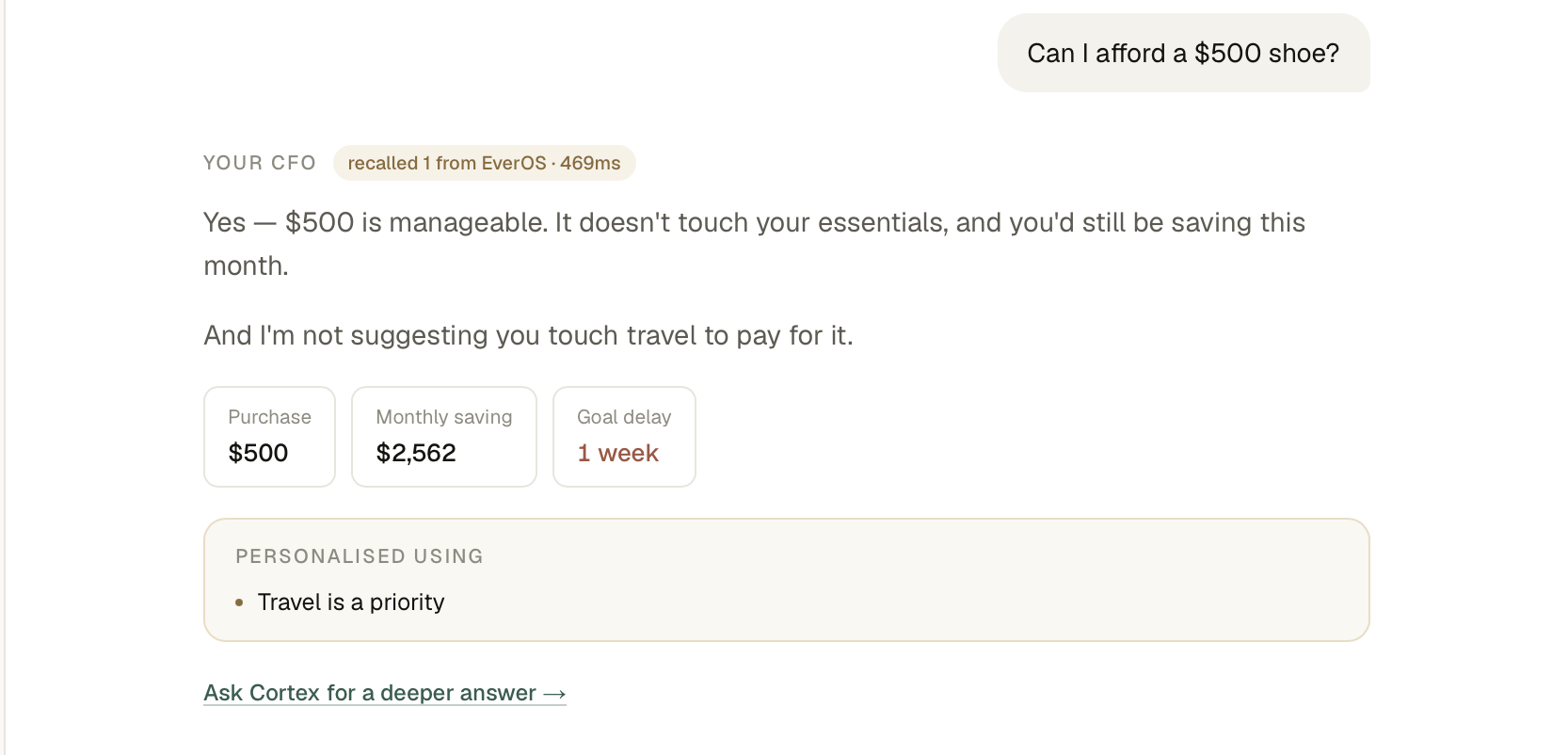
Affordability check, using memory
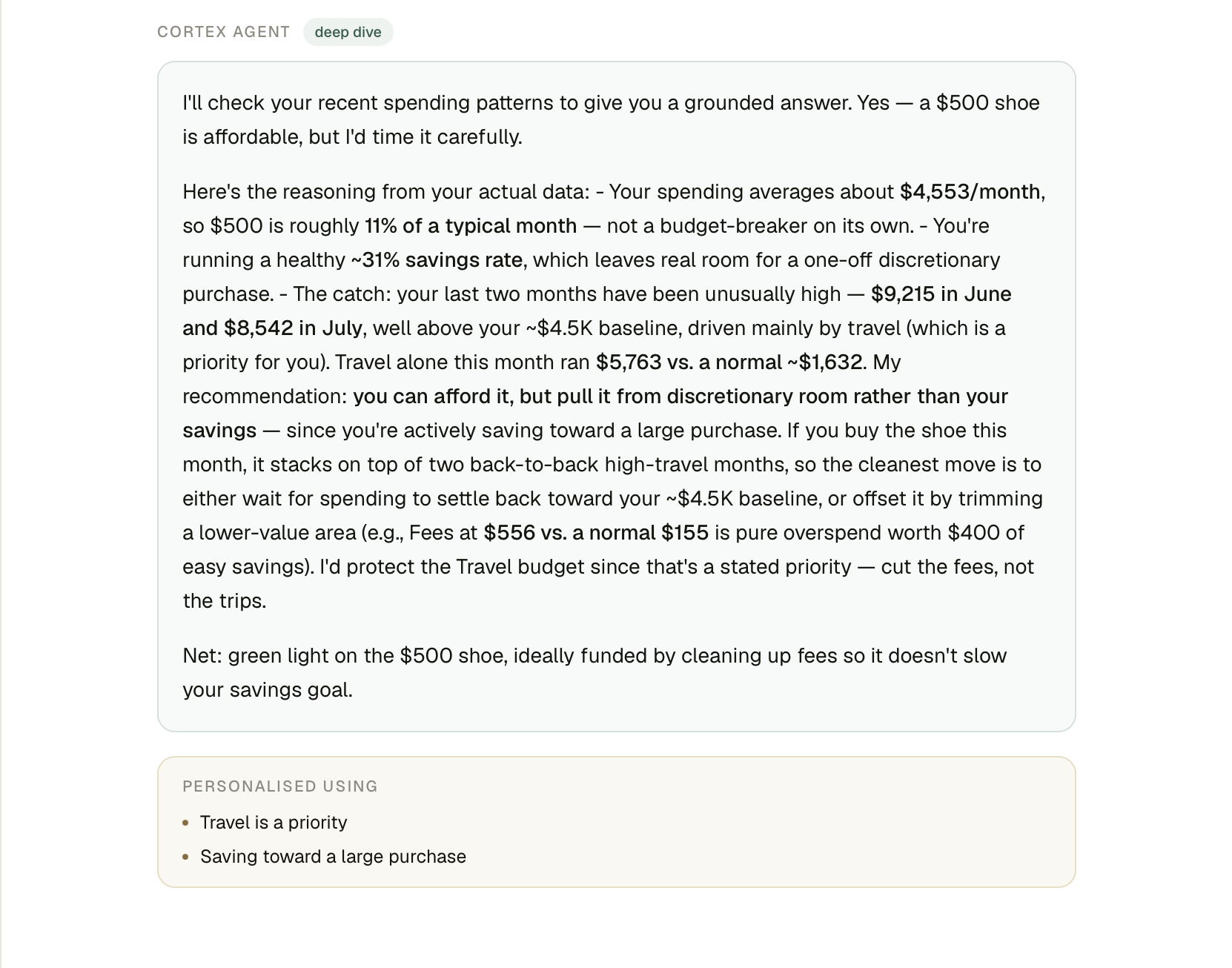
Snowflake Cortex deep dive